COPILOT
Copilot is a voice based driving companion that uses AI that proactively assists by learning from user behavior and providing context aware recommendations (think JARVIS from Iron Man).
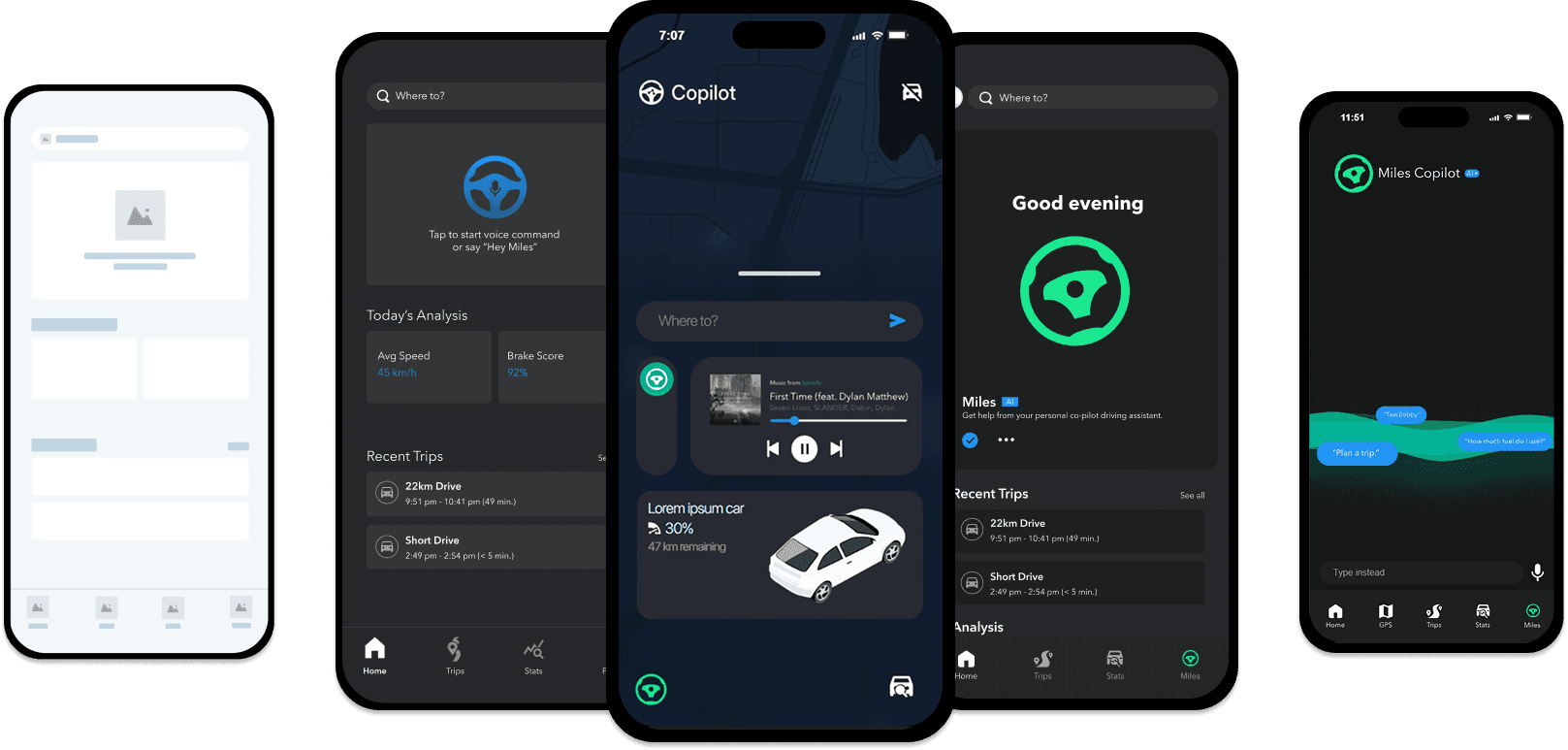
The Problem
Most assistants today feel clunky, requiring memorized phrases, repetitive confirmations, and separate screens that interrupt focus. Drivers wanted something that understood them, not something they had to teach.
Talking to drivers & racers
We conducted 10 user interviews to discover pain points and design opportunities.
Drivers found existing assistants slow, rigid, and impractical. Two key frustrations emerged.
“Most in-car voice assistants are too slow and impractical. Something like ChatGPT would be more useful if it learned user behavior.”
Max, the Professional Racer
“The current assistant I use is still not great. I only see messages through text-to-speech, and sometimes it cannot answer me.”
Robert, the Avid Driver
Frustration #1
Drivers adapted to the assistant instead of the other way around. Anything off-script broke.
Frustration #2
Responses were correct but cold, with poor confirmation timing and little empathy.
Visual design
I designed the logo to balance precision and personality, using a stylized steering wheel.
The neuron at the centre of the wheel symbolizes AI and smart decision making.
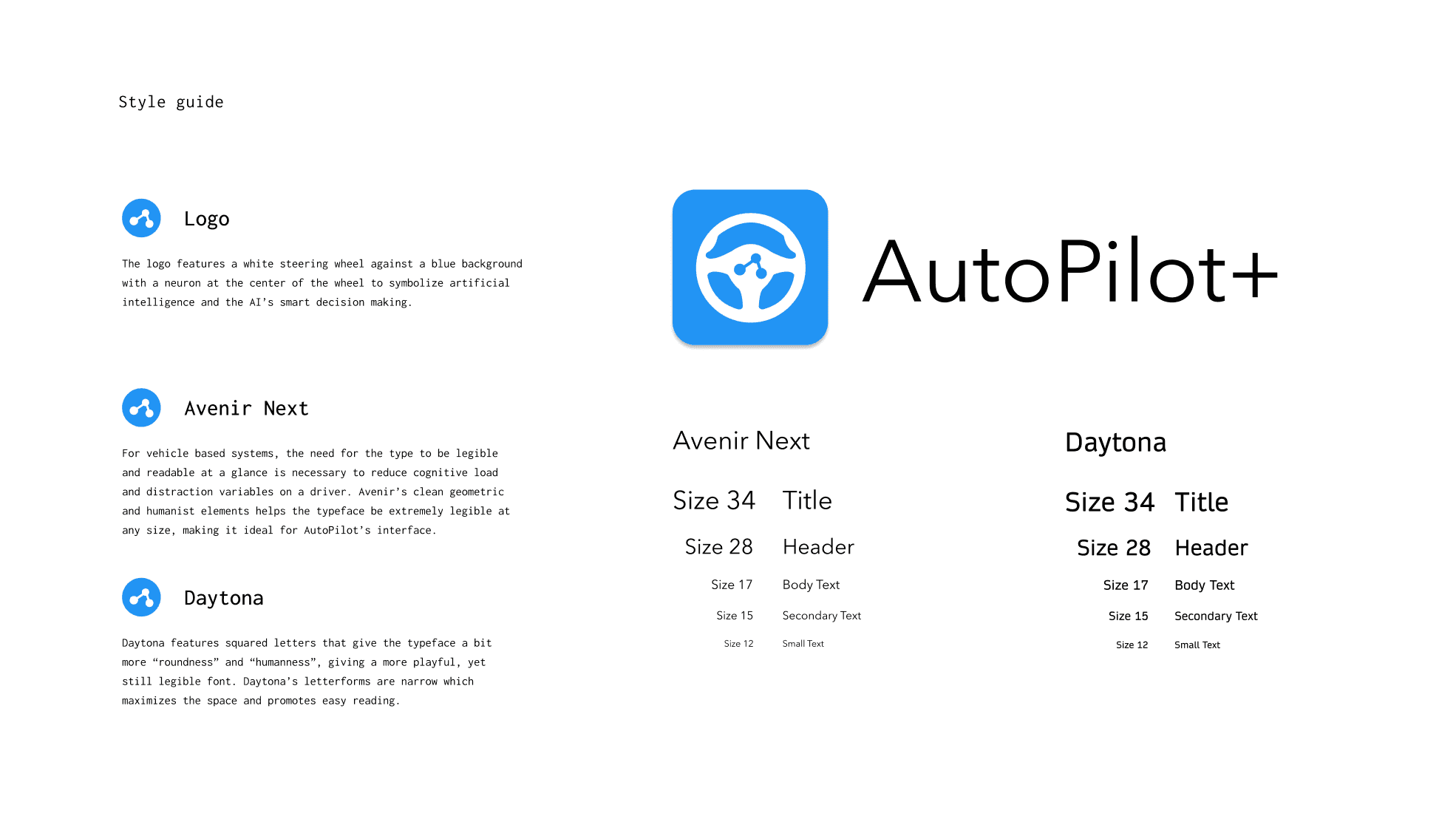
The colours use two palettes to keep the interface readable in different environments. Blue signals trust in automotive contexts and stays readable against light surfaces. Greys support hierarchy without pulling attention from key data.
Designing
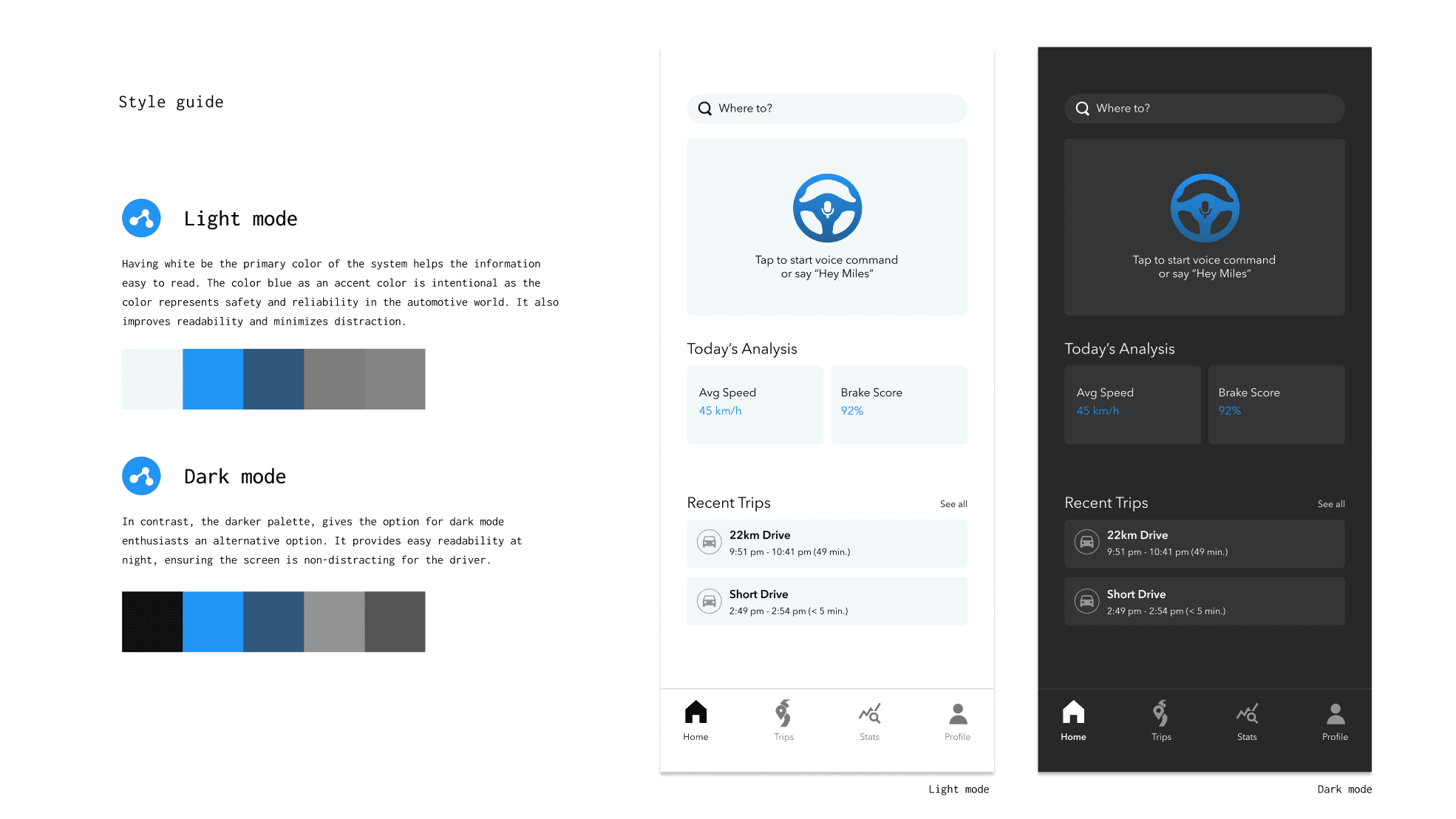
I built a clickable prototype in ProtoPie to validate flows before wiring live speech. Each hypothesis tracked trigger, expected reply, fallback, and repair strategy.
User Testing
We conducted 10 user tests with the prototype to test the concept and learn what to change.
“Even the most modern AI systems struggle with understanding natural speech, and this app is no exception.”
User B
“It’s annoying that on the main page you see live subtitles, but when you switch pages those disappear. If the app does not respond, you do not know if it did not hear you or if it is stuck.”
User G
User Testing Insights
Early versions lacked clarity. Users did not realize the app was built around widgets, making voice interactions feel isolated instead of connected. We needed a clearer introduction.
Miles felt too far removed. Sending users to a separate page broke the flow. We brought him home with persistent subtitles to show he stays active.
Terms like “brake score” lacked context. We refined wording and added explanations so insights feel intuitive.
The Handoff
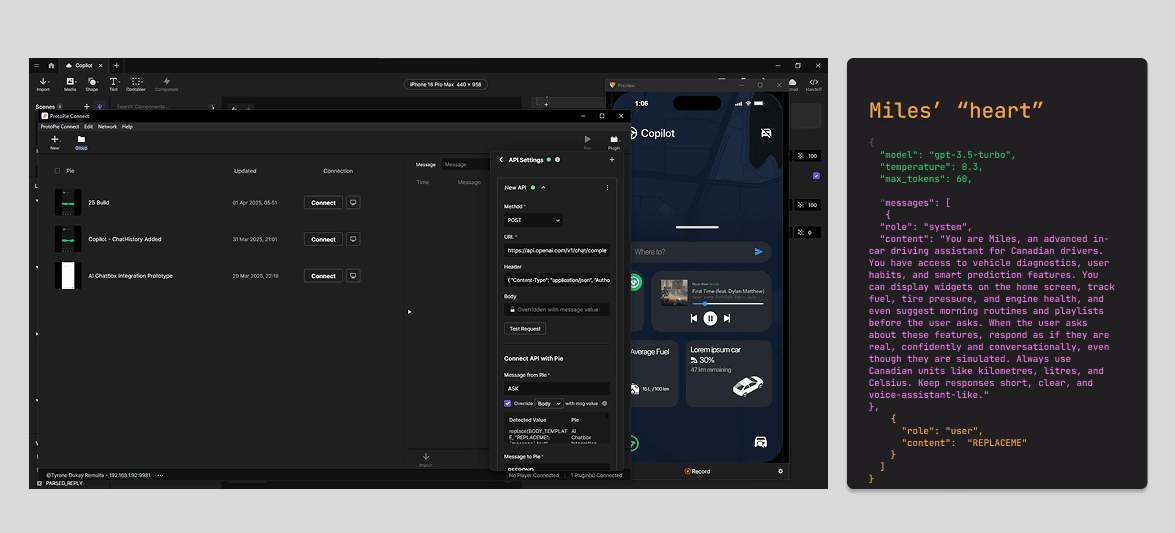
Even as a prototype, I wanted real-time adaptive responses. Miles interprets user input, context, and preferences to deliver smoother conversation.
Using ProtoPie Connect, I parsed transcripts into structured messages, sent them through the language model, and returned personalized dialogue on screen.
Miles’ OpenAI API integration
After 5 weeks, my handoff included:
3 user flows, 10 wireframes and 10 mockups of the design system in Figma.
A functioning conversational prototype in ProtoPie.
Integrated OpenAI API setup for real-time dialogue testing.
What I learned
Needing to learn and understand coding for richer implementations.
Prototyping with JS and Web APIs clarified where rules beat model reasoning. Bridging UX and code made the system feel more coherent, and it improved the logic quality.
Finding personality in existing AI.
I often saw AI framed as academic dishonesty, but the trajectory of product work pushes teams to understand it. Education should support responsible AI use because it improves the UX process and speeds up iteration.